Interactive prototype case study

Coverage Breaker

An interactive 7v7 flag-football prototype that lets a user build a play, test it against a chosen defense, and see which throw is open.

Built with Claude + ChatGPT. Claude supported implementation and iteration; ChatGPT handled QA, debugging, and a rebuild pass. The finished prototype runs locally in the browser. It has not been field-validated or commercially deployed.

How it works Choose a defense. Build a play. Check the throw.
1Choose the defense
Cover 2Cover 3Man
2Build the routes
Deep route Crossing route Return route
3See the best throw
A
Example resultBest read: F on the deep routeBackup: Y crossing underneath

A simplified overview. The full working interface and screen recording appear below.

What I did

I turned football rules and team constraints into a testable browser workflow.

I translated football rules, team constraints, and play-design ideas into requirements, then directed Claude and ChatGPT through the build, testing, debugging, and revision of a working browser prototype.

1

Defined what users needed to control and what the simulator needed to display.

2

Tested each version, identified interface and simulation problems, and documented what needed to change.

3

Directed revisions to route logic, defender behavior, rule handling, the generator, storage, and results.
Runtime boundary

The AI helped build it. The finished tool runs in the browser.

The deployed prototype does not call a live model, external API, or backend. Its controls, animation, scoring, route search, playbook, and exports execute locally.

ClaudeUsed for AI-assisted implementation and iterative changes as I translated product requirements into the working prototype.
ChatGPTUsed for QA, debugging, browser testing, and a rebuild pass that refined the standalone prototype.
Browser runtimeStandalone HTML, CSS, and JavaScript execute the interactive prototype.
Screen-recorded demo

A 42-second walkthrough

Setup, route design, generated concepts, simulation, results, and saved outputs.

Coverage Breaker walkthrough41.8 seconds · setup → simulation → results
Working prototype

What works in the browser prototype

The build supports the full test from setup through saved outputs.

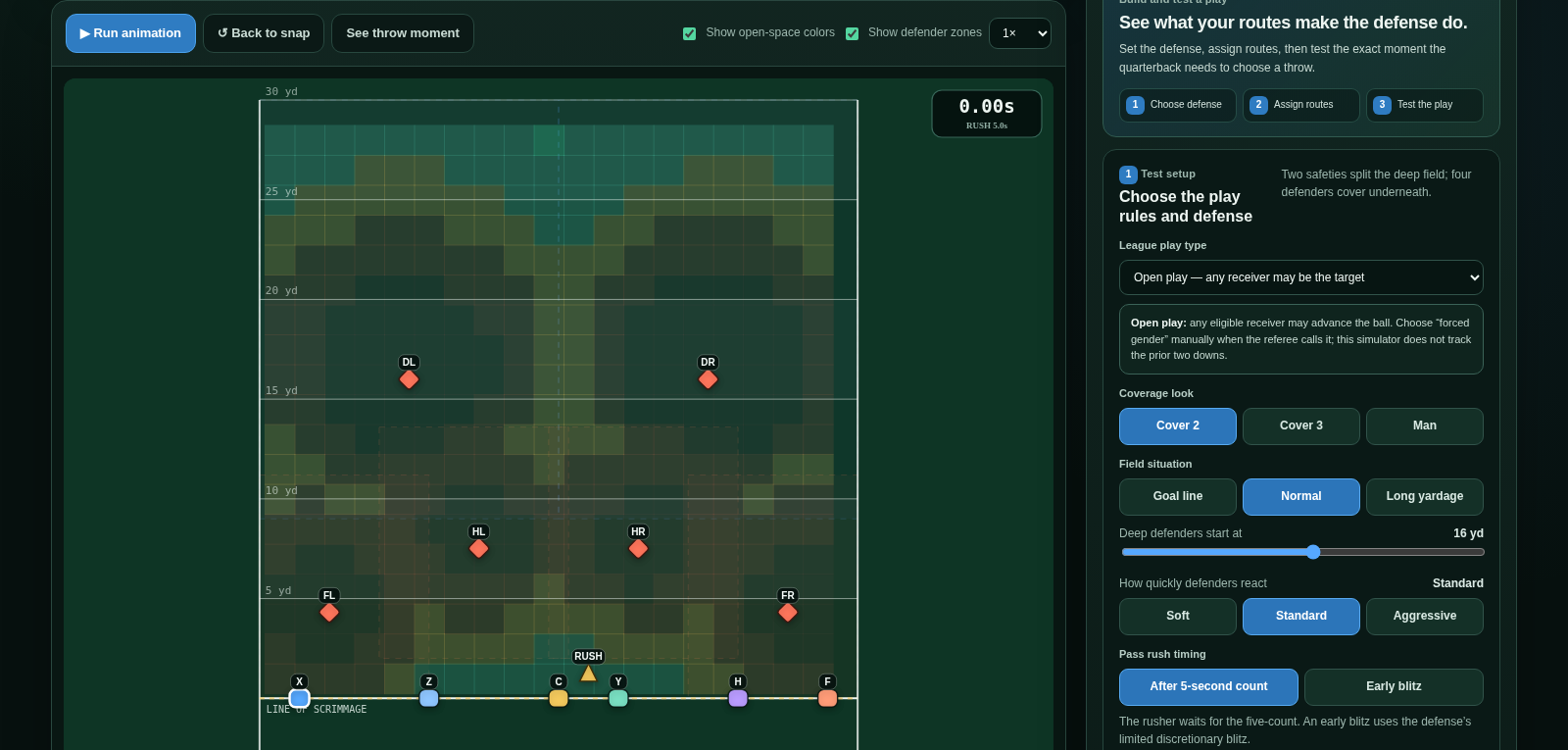
Coverage Breaker setup controls for play type, coverage, field situation, defender reaction, rush timing, and route assignment
Configure

Turn team rules into test conditions

Users choose among three play types, three coverage looks, three field situations, defender difficulty, pass-rush timing, man cushion or zone depth, and advanced throw settings.

  • Rules-aware modes
  • Rush timing
  • Throw moment
  • Ball speed
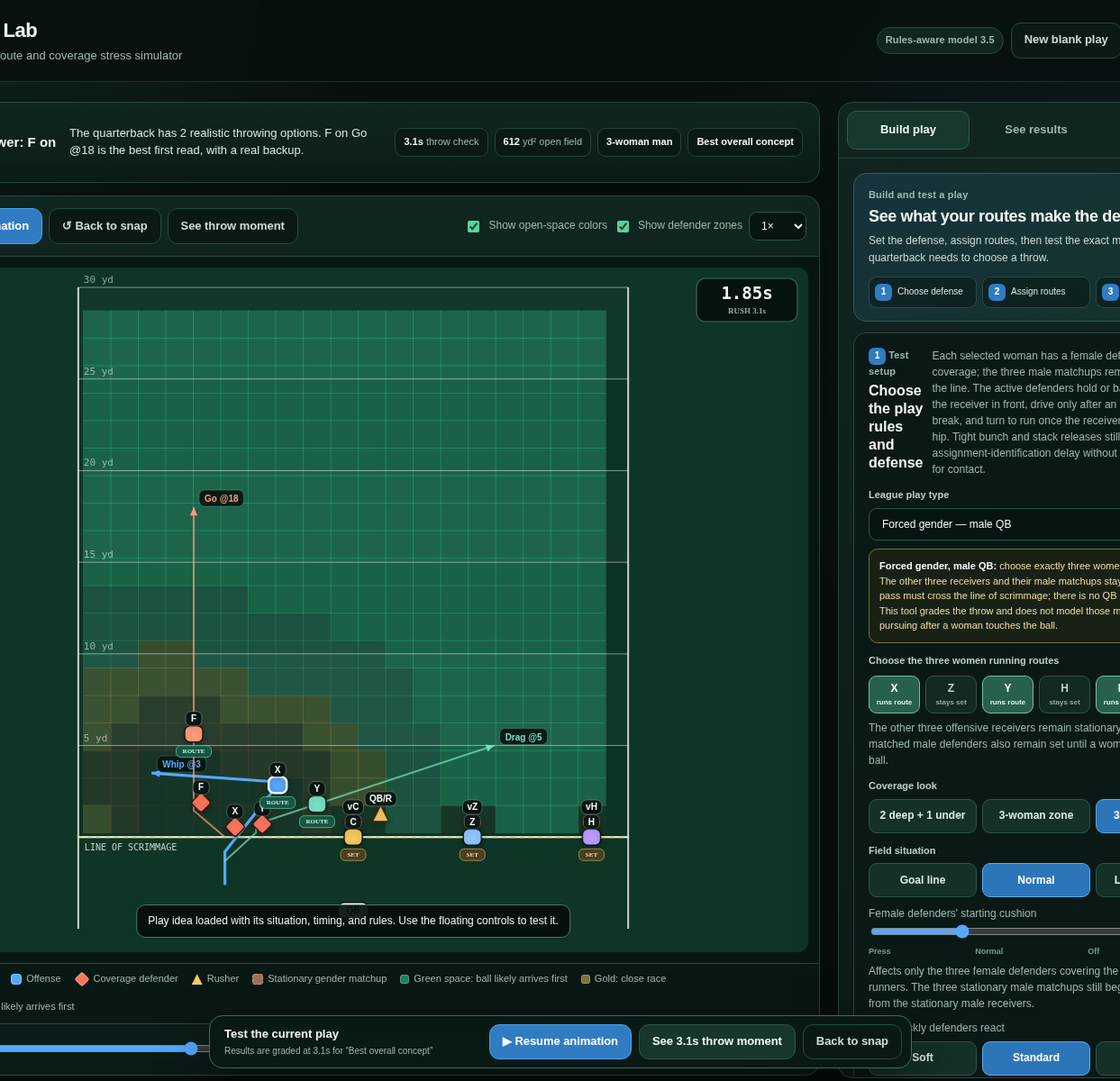
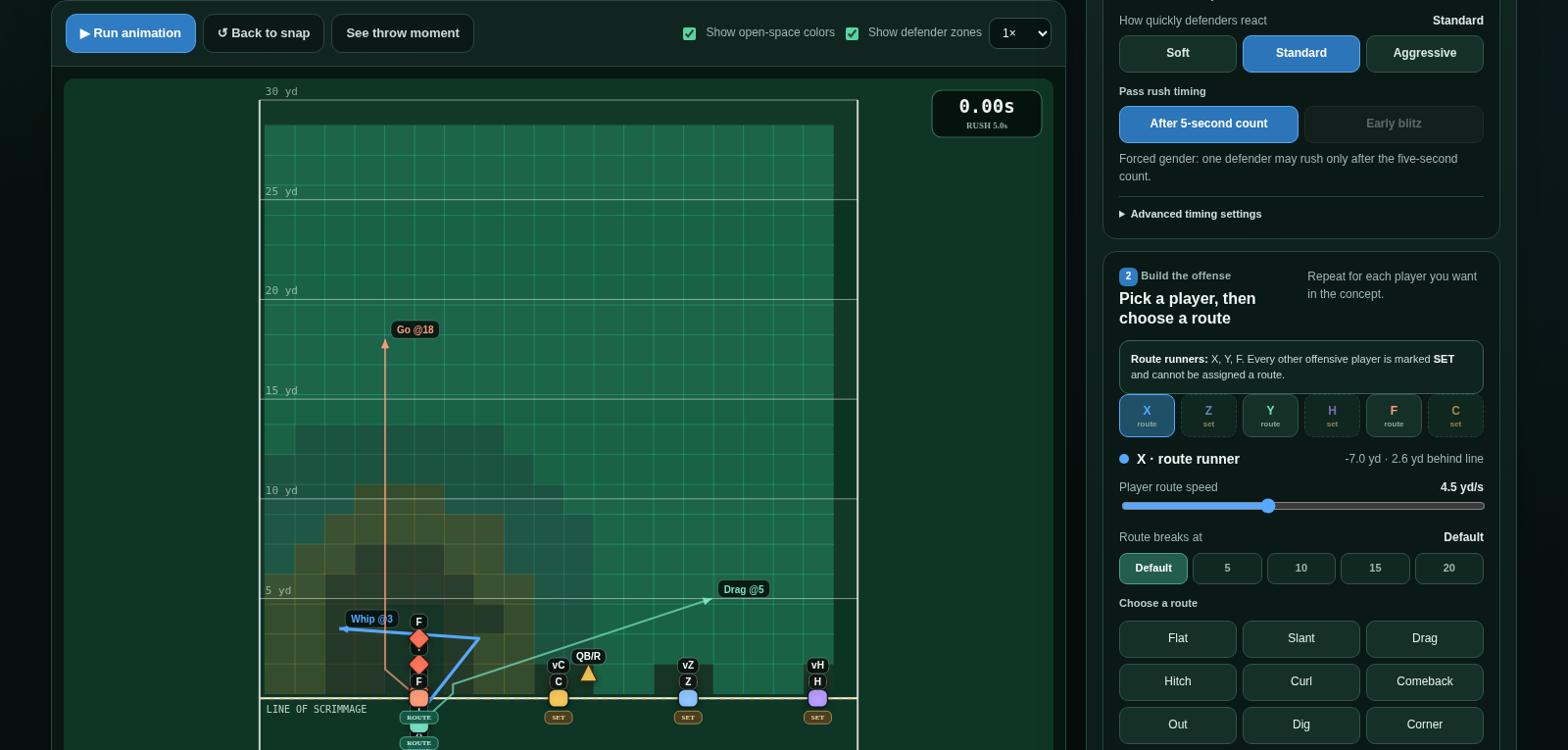
Coverage Breaker situation-based play generator displaying route concepts beside the field
Build & generate

Create routes or test situation-based ideas

Six offensive players can receive presets, custom-drawn routes, speed and depth settings, mirrored directions, endpoint behavior, and movable alignments. The generator can search for concepts against the chosen situation.

  • 6 players
  • 15 presets
  • Custom drawing
  • Bunch & stack
Coverage Breaker animation showing receiver routes, defender movement, field heatmap, and rush clock
Simulate

Watch the play develop on a shared timeline

Receivers, defenders, zone responsibilities, the rusher, and open-space colors move together. Users can run, pause, reset, change speed, or scrub directly to any point.

  • Animated movement
  • Timeline scrubber
  • Zone overlays
  • Open-space map
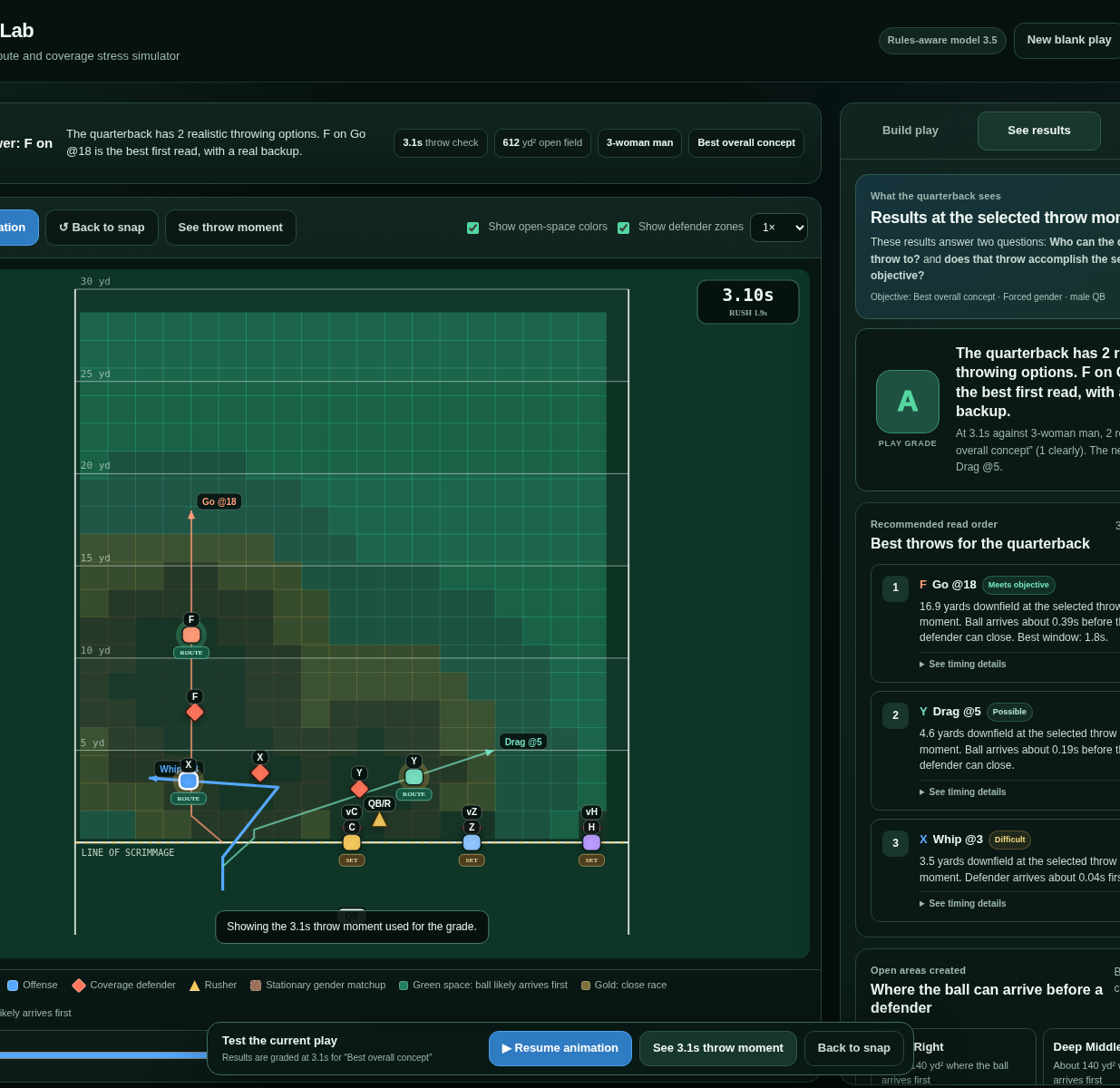
Coverage Breaker results view with play grade, recommended read order, timing details, open field regions, and explanatory notes
Analyze & save

Inspect the throw moment instead of accepting a black-box score

The results rank reads, compare ball and defender arrival, map open regions, and explain what created or limited the opening. Plays and analysis can then be saved or exported.

  • Play grade
  • Read order
  • Timing details
  • JSON & PNG
Product workflow

From football rules to a reusable browser test

The same five-step workflow carries from setup through saved outputs.

1

Define the test

Choose play type, coverage, field situation, reaction speed, rush timing, and throw timing.

2

Build the offense

Assign preset or custom routes, then adjust depth, speed, direction, and alignment.

3

Run the simulation

Watch receiver paths, defender behavior, zone movement, pressure, and open space develop.

4

Evaluate the throw

Jump to the shared throw moment and inspect the grade, read order, timing edge, and open regions.

5

Save the work

Store the play in the browser, export JSON, download analysis, or capture the field as a PNG.

Iteration & QA

What changed, and what remains

Key revisions are verified below, along with the one known generator issue and the model limits.

Off-man leverage

Defenders hold or backpedal with the receiver in front, drive after an underneath break, and turn when the receiver reaches the hip.

Rules-aware constraints

Forced-gender modes restrict active route runners, require the pass to cross the line, and disable incompatible early blitzes or QB runs.

Shared state and browser outputs

Animation, scoring, field colors, route suggestions, browser storage, and exports use the same play settings and throw moment.

My contribution

I defined the product and directed the AI-assisted build.

I set the workflow and rules, directed Claude and ChatGPT through the build, tested each version, and revised the prototype when the interface or simulation did not work as intended.

01Requirements definition
02Workflow design
03Simulation rules
04Functional testing
05Data capture
06AI-assisted prototyping
AI portfolio

One of three AI case studies.

This project covers AI-directed software. The broader portfolio also covers AI-generated media and AI workflow design.

See more of Hayley Heneghan's work ↗